A local-first storyboard workspace
Plan video scenes, voice-over, timing, comments, and audio in one workspace.


Core Features
Timeline Planning
Arrange scenes on a frame-based timeline, adjust duration, preview rhythm, and keep pacing under control.

Storyboard View
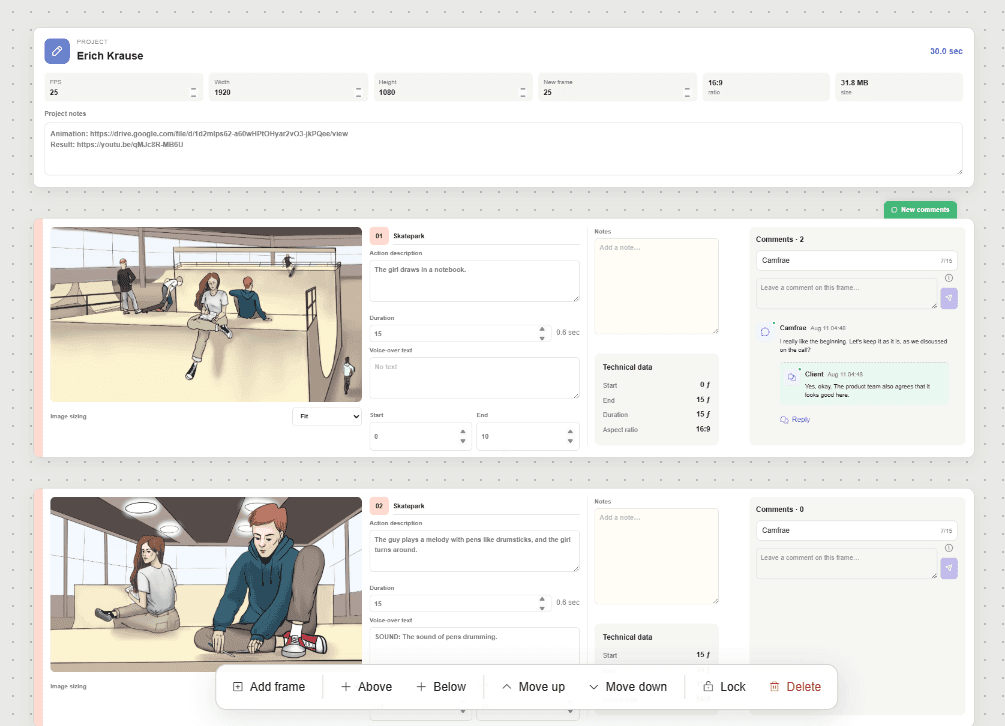
Scene Preview

Voice-Over Notes

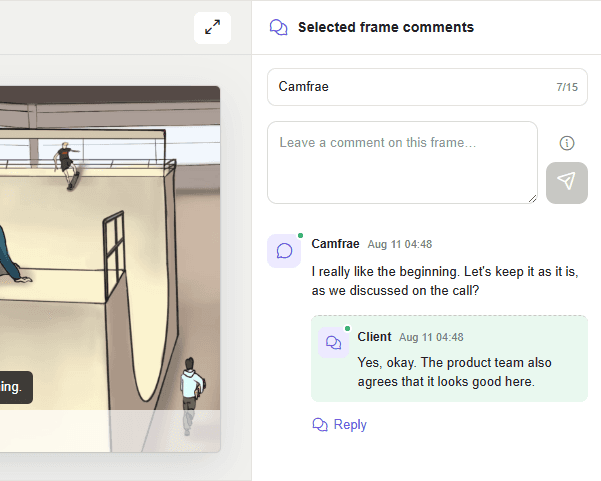
Frame Comments
Keep feedback attached to the exact frame, with threaded replies for clearer review conversations.
Audio Support
Add music or voice tracks to preview how visuals and sound work together.

Local Projects

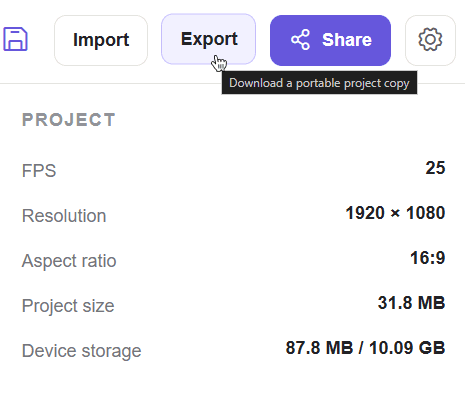
Portable Export
Move complete storyboards with images, audio, comments, and settings through one .csfd package.
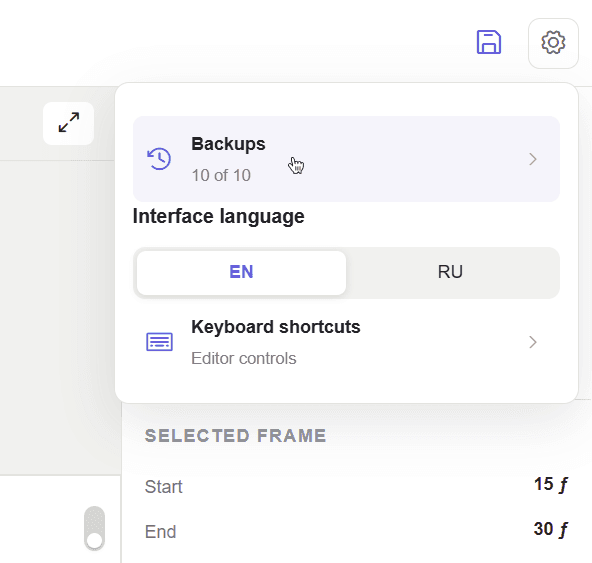
Project Backups
Recover previous versions with local backups designed to protect work during active planning.

FAQ
Most popular questions
Who is Storymatic FlowDeck for?
Storymatic FlowDeck is for creators who need to explain a video before it is made: directors, editors, motion designers, agencies, founders, and teams preparing visual concepts for approval.
Is Storymatic FlowDeck a video editor?
No. Storymatic FlowDeck is for planning and reviewing the structure of a video before production or editing. It helps define scenes, timing, narration, and feedback, but it does not replace a full editing tool.
Can clients use Storymatic FlowDeck?
Yes. Storymatic FlowDeck is useful for client review because each scene can hold its own context and feedback. It helps clients respond to specific moments instead of giving vague notes.
What makes Storymatic FlowDeck different from a document or slide deck?
A document or slide deck can describe a video, but Storymatic FlowDeck keeps the plan closer to time-based production: scenes have duration, order, preview context, and review notes in one workspace.
Does Storymatic FlowDeck require a cloud account?
No cloud account should be presented as required. Storymatic FlowDeck is positioned as local-first, so projects can be planned and stored locally, then moved through portable project files.
What are the plans for Storymatic FlowDeck?
The future of Storymatic FlowDeck depends on how useful it becomes for real creators. It started as a small tool to reduce repeated storyboard template work and manual frame calculations, but it is now growing into something larger. In the near future, the focus is testing and improving the core workflow, adding video export, and generating PDF pitch decks. Later, the roadmap may include cloud storage and shareable project links. Further ahead, Storymatic FlowDeck could explore lightweight animation tools, AI-assisted frame generation from descriptions, and built-in voice-over creation.
How can I contact you?
You can find contact details inside Storymatic FlowDeck. Open the main menu and go to the “About” section.

Ready to create your story?
Start creating, and you’ll see that it’s a simple tool that solves big tasks!